Users with no Python experience
You need a terminal with Python to install and run ROBERT. These are some suggested first steps:
Recommended installation
If you prefer a faster and easier installation, you can use the preconfigured YAML environment file. This method automatically installs Python, ROBERT, and all required dependencies.
1. Install Anaconda with Python 3 for your operating system (Windows, macOS or Linux). Alternatively, if you're familiar with conda installers, you can install Miniconda with Python 3 (requires less space than Anaconda).
2. Download the environment file env.yaml by clicking this button on GitHub 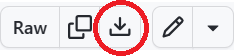 .
.
3. Open an Anaconda Prompt (Windows) or a terminal (macOS/Linux) and navigate to the folder where you saved env.yaml:
cd C:/Users/Downloads
4. Create the conda environment from the YAML file:
conda env create -f env.yaml
conda activate robert
5. Check that ROBERT is installed correctly:
python -m robert -h
Note
The environment file automatically installs all required dependencies, including GTK, GLib, and fonts needed to generate PDF reports. No additional manual installation is required.
Alternative installation
If you prefer to install ROBERT manually, follow these steps:
1. Install Anaconda with Python 3 for your operating system (Windows, macOS or Linux). Alternatively, you can install Miniconda with Python 3 (requires less space than Anaconda).
2. Open an Anaconda prompt (Windows users) or a terminal (macOS and Linux).
3. Create a conda environment called "robert" with Python:
conda create -n robert -c conda-forge -y python=3.12
You only need to do this once.
4. Activate the conda environment called "robert":
conda activate robert
5. Install ROBERT as defined in the "Installation" section:
pip install robert
6. Install GLib, GTK3, pango and mscorefonts to avoid errors when creating the PDF report:
conda install -y -c conda-forge glib gtk3 pango mscorefonts
7. Go to the folder with your CSV database (using the "cd" command):
cd C:/Users/test_robert
8. Run ROBERT as explained in the Examples section.