Graphical User Interface (GUI): easyROB
easyROB is the graphical interface of ROBERT. It allows you to configure and launch ROBERT workflows without using command lines — just by selecting files and options through an intuitive window.
Note
For video tutorials on how to use easyROB, check out our YouTube channel.
To run easyROB, follow these steps:
1. Install ROBERT as explained in the "Installation" section.
2. Open an Anaconda prompt (Windows users) or a terminal (macOS/Linux).
3. Activate the conda environment where ROBERT was installed:
conda activate robert
4. Download the script easyrob.py  by clicking this button on GitHub
 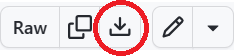 .
.
5. Navigate to the folder where you saved easyrob.py (for example):
cd C:/Users/test_robert
6. Launch easyROB with the following command:
python easyrob.py

Warning
The GUI only works with ROBERT version 1.0.5 or later.
You can check your version by running pip show robert.