Installation
In a nutshell, ROBERT and all its dependencies can be installed automatically using the provided YAML environment file (recommended).
Recommended installation
1. Download the environment file env.yaml by clicking this button on GitHub 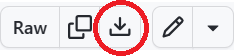 .
.
2. Open an Anaconda Prompt (Windows) or a terminal (macOS/Linux) and navigate to the folder where you saved env.yaml:
cd C:/Users/Downloads
3. Create the conda environment from the YAML file:
conda env create -f env.yaml
conda activate robert
4. Check that the installation was successful:
python -m robert -h
Note
The environment file automatically installs all required dependencies, including GTK, GLib, and fonts needed to generate PDF reports. No additional manual installation is required.
Alternative installation
In a nutshell, ROBERT and its dependencies are installed as follows:
1. Create and activate the conda environment where you want to install the program. If you are not sure of what this point means, check out the "Users with no Python experience" section. It only works with Python 3.11 or 3.12:
conda create -n robert -c conda-forge -y python=3.12
conda activate robert
2. Install ROBERT with pip:
pip install robert
3. Install GLib, GTK3, pango and mscorefonts to avoid errors when creating the PDF report:
conda install -y -c conda-forge glib gtk3 pango mscorefonts
Warning
In some computers, you might see lots of pop-up windows with errors when installing GLib. Just press "Accept" in all the windows and finish the process until you see "Done" in the terminal.
Warning
In some rare cases when using Linux systems, the PDF is still not generated after installing all the previous libraries. Users might try to execute these two command lines before: export GI_TYPELIB_PATH=$CONDA_PREFIX/lib/girepository-1.0 and export LD_LIBRARY_PATH=$CONDA_PREFIX/lib:$LD_LIBRARY_PATH.
You can also use conda-forge in step 2 instead of pip, executing these commands:
conda install -c conda-forge robert
pip install robert --upgrade
conda install -y -c conda-forge glib gtk3 pango mscorefonts
Warning
On some Linux systems (e.g., Ubuntu 22.04), you may also need to install gtk2 in addition to gtk3 to avoid errors related to missing libraries (such as 'libgobject-2.0-0'). You can install it with:
conda install -c conda-forge gtk